 Comparison
Choosing CRM Software vs Spreadsheets for Cleaning Firms
Last Updated: November 19, 2026
Quick Summary
The right cleaning CRM software depends on which workflow costs your business the most time, such as quoting, recurring scheduling or invoicing. Shortlist two or three tools, test each against a real client's quote-to-invoice cycle, and weigh total annual cost, not just the headline subscription price.
- Start with the workflow causing the most pain, not the vendor's feature list.
- Test shortlisted products against the three to five tasks your office repeats weekly.
- Weight features by business type: solo, residential team, or commercial operator.
- Total annual cost includes per-user fees, payment processing, onboarding and migration labor.
- Confirm in writing that you can export your full client and job history at any time.
Table of Contents
- How to Choose the Right CRM Cleaning Software for Your Business
- Must-Have Features in Cleaning Business CRM Software
- Comparison Table: QuoteIQ, Jobber, Housecall Pro and ZenMaid
- Cleaning Business Software With Online Booking and Recurring Visits
- Free Cleaning Company Software: What You Give Up
- Pricing, Hidden Costs and Switching Effort
- Cleaning CRM Software Reviews: How to Read Them and Test a Shortlist
- Frequently Asked Questions
Choosing the right CRM cleaning software is one of the first real decisions a cleaning company makes as it grows past a handful of clients. Many owners start with a spreadsheet, a notes app and a calendar, and that works until it doesn't. The answer depends less on which product has the longest feature list and more on how your business actually runs day to day. For a broader framework to evaluate CRM options before narrowing to cleaning-specific tools, see CRM selection criteria for small business.
A CRM, or customer relationship management system, is software that stores client records, tracks quotes and jobs, and keeps follow-up organized in one place. For a cleaning business, that usually means recurring visits, estimates, invoices and review requests. Spreadsheets can hold the same information, but they do not remind you to follow up, and they rarely keep a schedule in sync with the crew.
How to Choose the Right CRM Cleaning Software for Your Business
Start with the workflow that causes you the most pain, not the feature list on a vendor's homepage. If quotes sit unanswered for days, look hard at quoting and follow-up tools. If missed recurring visits are costing you clients, scheduling matters more. This keeps you from paying for capabilities you will never use.
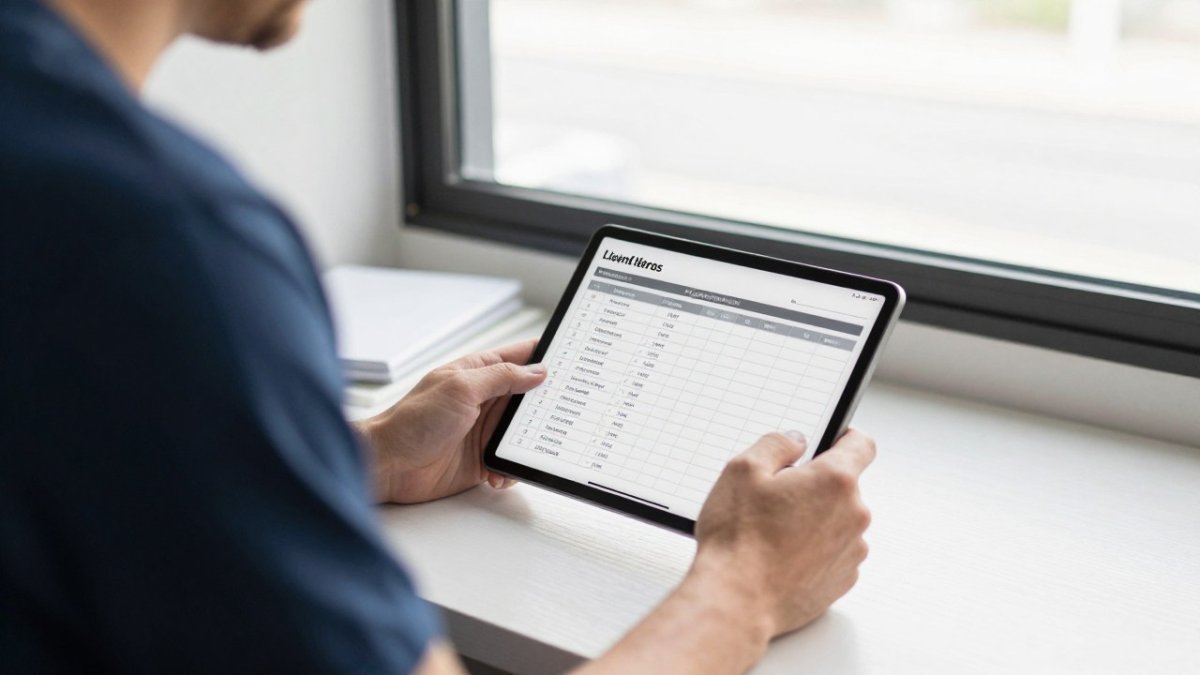
Next, list the three to five tasks your office staff repeats every week. Then test each shortlisted product against those tasks, using a free trial where one is offered. A tool that saves ten minutes on every quote is worth more than one with a dozen features you never open.
Must-Have Features in Cleaning Business CRM Software
Most cleaning companies need the same core set, but the right configuration depends on whether you run solo, a residential team, or commercial contracts.
Client and property records. A client profile should hold contact details, one or more service addresses, access notes (gate codes, alarm instructions, pets), and full visit history in one place.
Quoting and estimates. A quote should convert into a scheduled job without retyping the client, address, and price.
Recurring scheduling. This is the feature that separates cleaning CRMs from generic sales tools.
Automated reminders and follow-ups. Appointment reminders reduce no-access visits, and quote follow-ups recover stalled estimates.
Invoicing and online payments. Invoices should generate from completed jobs, support recurring billing for contract clients, and accept card and bank payments online.
Team coordination and time tracking. Crews need to see their assigned jobs, checklists, and client notes on a phone, and office staff need to see who is where.
Review requests. If referrals drive your growth, automated review requests after completed jobs are worth including. Check whether requests are triggered automatically and whether they route happy clients to a public review site.
Mobile access. Field access matters for any company with employees in the field.
Weight the features by business type. A weighted scorecard keeps the comparison honest:
- Solo cleaner: weight scheduling, quoting, invoicing, and payments highest; team coordination and permissions matter little. A lower-cost plan without per-user fees is usually the right fit.
- Residential team: weight recurring scheduling, automated reminders, crew mobile access, time tracking, and review requests highest. Per-user pricing and field-app quality drive the decision.
- Commercial operator: weight multi-property accounts, contract billing, role-based permissions, reporting, and accounting integration highest. Commercial clients often require documentation and audit trails, so reporting and permissions outweigh consumer-facing features.
Score each product from 1 to 5 on your top five weighted features, multiply by the weight, and total. The highest score is your shortlist leader, but still run one real client through the full cycle before you commit.
Watch out: a feature list can hide a weak implementation.
Comparison Table: QuoteIQ, Jobber, Housecall Pro and ZenMaid
The products below are cleaning-business CRM options. Pricing varies by plan, billing cycle and number of users, so confirm current plans and prices directly on each vendor's website before you decide.
| Software | Starting Price (USD) | Billing Shown | Best For |
|---|---|---|---|
| QuoteIQ | $29.99/month | Monthly | One app for quotes, recurring service, billing and reviews |
| Jobber | $29/month | Annual (Core plan); $49/month monthly | Comparing annual versus monthly billing options |
| Housecall Pro | $59/month | Annual (Basic plan); $79/month monthly | Teams wanting a published Basic plan price |
| ZenMaid | $19/month | Plan details not provided | Smaller operations seeking the lowest listed starting price |
Starting Price (USD)
Cleaning Business Software With Online Booking and Recurring Visits
Ask each vendor how a booked job moves from the request to the crew calendar to the invoice. To see how CRM tools connect with other sales and automation software, read AI sales tools integration with CRM. If the answer involves exporting and re-entering data, expect scheduling errors as you grow.
Free Cleaning Company Software: What You Give Up
Free plans are tempting, and some are useful for a very small operation. The trade-off usually shows up in client limits, missing automation, weaker reporting and limited support. Many owners find they outgrow a free tool just as they start getting busy, which is the worst time to migrate.
If you start free, plan the move before you need it. Keep your client records clean and exportable so switching later does not mean rebuilding everything from memory. For guidance on cleaning up existing customer records before migrating, see fixing messy CRM data.
Pricing, Hidden Costs and Switching Effort
The subscription line on a pricing page is the smallest number in your real annual cost. A cleaning CRM's true cost is the sum of subscription, per-user charges, payment processing, onboarding, add-ons, and the labor hours you spend migrating and retraining. For a realistic view of what moving to a new CRM involves for small firms, see CRM implementation for small firms.
Build a like-for-like annual estimate. Total these components for each shortlisted product, using your actual headcount and billing cycle:
- Base subscription: the plan tier that includes recurring scheduling, invoicing, and online payments, not the entry tier that omits them. Confirm whether the advertised price is billed monthly or annually; annual billing commonly lowers the effective monthly rate, but it also locks you in.
- Per-user charges: many field-service CRMs price by seat. A five-person office plus ten field cleaners can multiply a headline price several times over. Ask specifically whether field users count as full seats or as limited-access users.
- Payment processing: online payments usually carry a per-transaction percentage plus a fixed fee, and some platforms add their own surcharge on top of the processor's rate. On recurring residential accounts, processing can exceed the subscription itself.
- Onboarding and setup: some vendors charge a one-time implementation fee, and others bundle it into annual plans. Ask whether data import, template setup, and training are included or billed hourly.
- Add-ons: automated review requests, two-way texting, route optimization, and accounting sync are frequently separate modules. List which ones you actually need before comparing totals.
- Migration labor: the hours your office staff spend exporting, cleaning, importing, and verifying records. This is the cost owners most often forget, and it is real payroll.
A common pattern is that the lowest headline price loses on total annual cost once per-user fees and payment processing are included, while a higher subscription with bundled payments and unlimited field users wins. Do the math on your own numbers rather than trusting a comparison table.
Plan the switch before you sign. Migration is where most software changes go wrong, and it is manageable if you sequence it:
- Export and clean first. Pull client records, service addresses, access notes, recurring schedules, and open balances from your current system into a spreadsheet. Deduplicate and fix incomplete addresses before importing, messy records carry their problems into the new system.
- Map the fields. Decide where each column lands in the new CRM: contact, property, schedule pattern, price, and payment status. Most vendors provide an import template; use it exactly rather than improvising.
- Migrate payment details carefully. Recurring card and bank details usually cannot be exported for security reasons. Expect to re-collect authorization from clients or use the vendor's payment-portability process, and plan client communication around it.
- Run parallel for one billing cycle. Keep the old system readable while you run new quotes, visits, and invoices through the new one. Double entry for a few weeks is cheaper than lost appointments or missed invoices.
- Retrain the crew on the field app, not the office view. Field staff need the job list, checklists, photos, and time clock; office staff need quoting and invoicing. Train separately.
Watch out: contracts and data-export terms can trap you. Confirm in writing that you can export your full client list and job history at any time, and check the notice period and any early-termination fee before committing to an annual plan.
Own your data. Ask each vendor whether you can export contacts, jobs, invoices, and payment records in a standard format such as CSV, and whether the export includes history or only current records. Data portability is your leverage at renewal time; a vendor that makes export difficult is a vendor that expects you to stay regardless of fit.
Cleaning CRM Software Reviews: How to Read Them and Test a Shortlist
Software reviews are useful, but read them with a critical eye. Check whether the reviewer runs a cleaning business or a different service company, and whether they describe the features you need.
Build your own test before committing. Run one real client through the full cycle, from quote to scheduled visit to invoice to review request, in each shortlisted tool.
Choosing a CRM is a decision about how your business runs, so it deserves a structured evaluation rather than a quick purchase. Start with your biggest workflow problem, test the shortlist against it, and budget for the switching effort along with the monthly fee.
Frequently Asked Questions
What is the best CRM for a small cleaning company? The best CRM depends on which workflows cause you the most trouble. Test two or three shortlisted products against a real client's quote-to-invoice cycle before deciding.
Is free cleaning software worth using? It can work for a very small operation, but free plans often limit clients, automation and support. Plan your migration before you outgrow the free tier.
How much does cleaning CRM software cost? Pricing depends on the vendor, plan tier and billing cycle. Confirm current plans directly with each vendor.
Frequently Asked Questions
What is the best CRM software for a cleaning business?
No single product fits every cleaning business. Shortlist two or three tools that match your job volume, then test each with a real client record before committing. Confirm current prices directly with each vendor.
Is free cleaning company software enough for a growing business?
Free cleaning company software can work for a very small operation with a handful of recurring clients. It usually limits users, client records, automated reminders, invoicing or online payments. As job volume grows, those limits tend to cost more in missed follow-ups and manual scheduling than a paid plan would. Check whether the free tier includes the features you will need in six months, not just today. If it does not, budget for a paid plan early so switching does not interrupt client service.
Can cleaning CRM software handle online booking and recurring appointments?
Many cleaning CRM products include online booking, recurring visit scheduling and automated reminders. Verify each feature during a trial rather than relying on a feature list. Test a recurring weekly or biweekly client, a schedule change and a cancellation to see how the software handles each. Also confirm whether clients can book and pay online, since those features are often sold as separate add-ons.
What is the difference between cleaning business software and a CRM?
A CRM focuses on client records, lead tracking, quote follow-up and communication history. Cleaning business software usually adds job scheduling, crew assignment, route planning, time tracking and invoicing. Many products sold to cleaning companies combine both. Decide which side matters more for your operation. If you struggle mainly with scheduling and crews, prioritize field management features. If leads and quotes slip through, prioritize pipeline and follow-up tools.